


To access your DirectAdmin control panel, please use the credentials sent to your email and log in at: https://yourdomain.com:2222
You can also log in to DirectAdmin directly from your client area in just a few clicks.
Steps to Login to DirectAdmin
Step 1: Log in to your client area
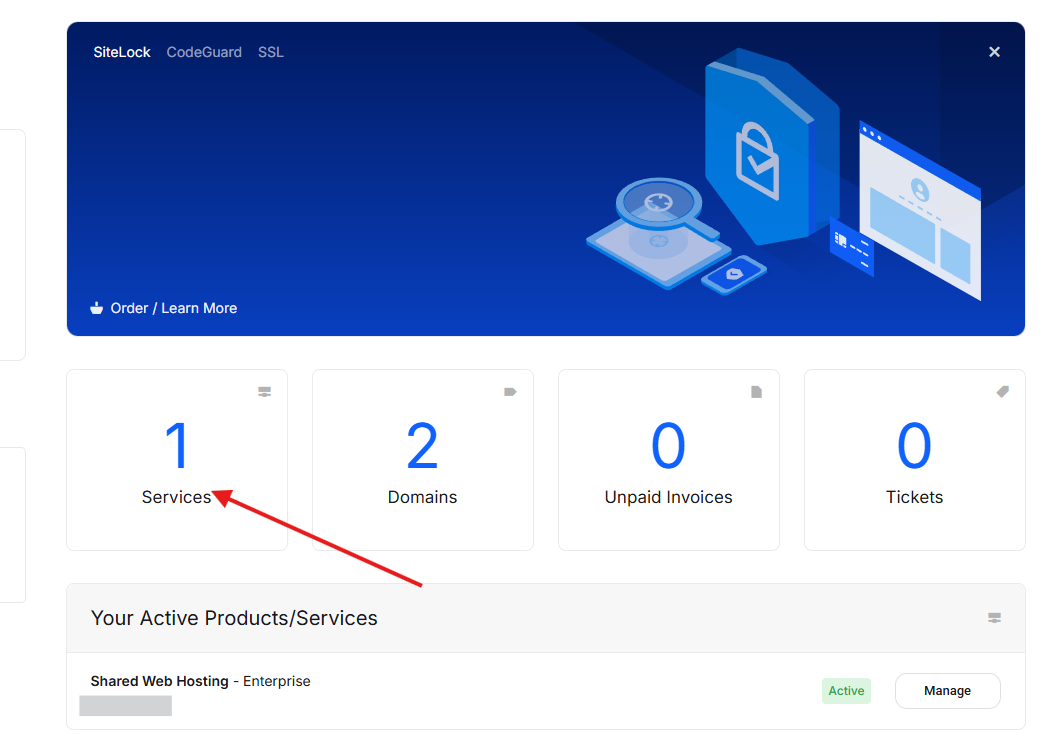
Sign in to your Aveshost client account and go to your dashboard.
From the dashboard, click on Services.
Step 2: Open your hosting service
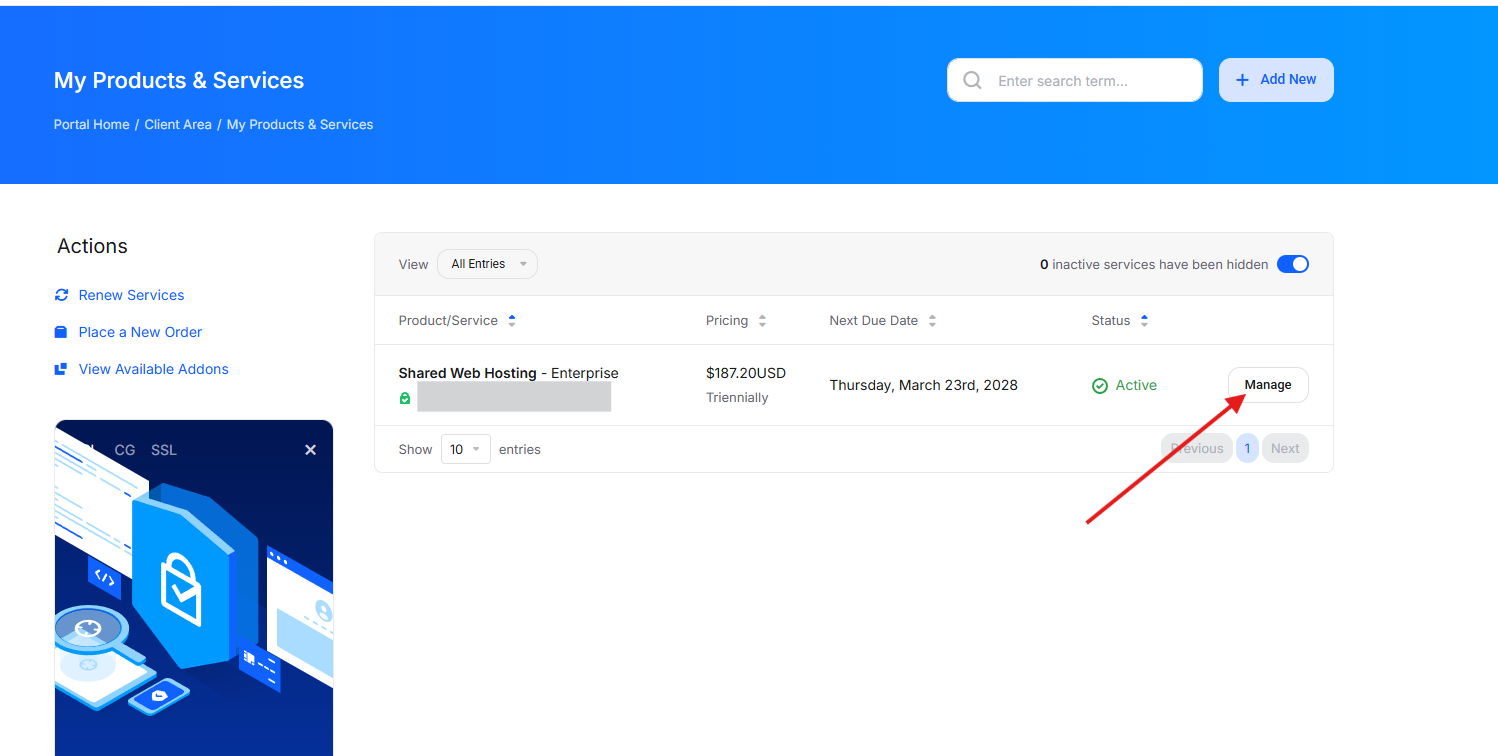
On the My Products & Services page, locate the hosting package you want to manage.
Click the Manage button next to the active hosting service.
Step 3: Access DirectAdmin
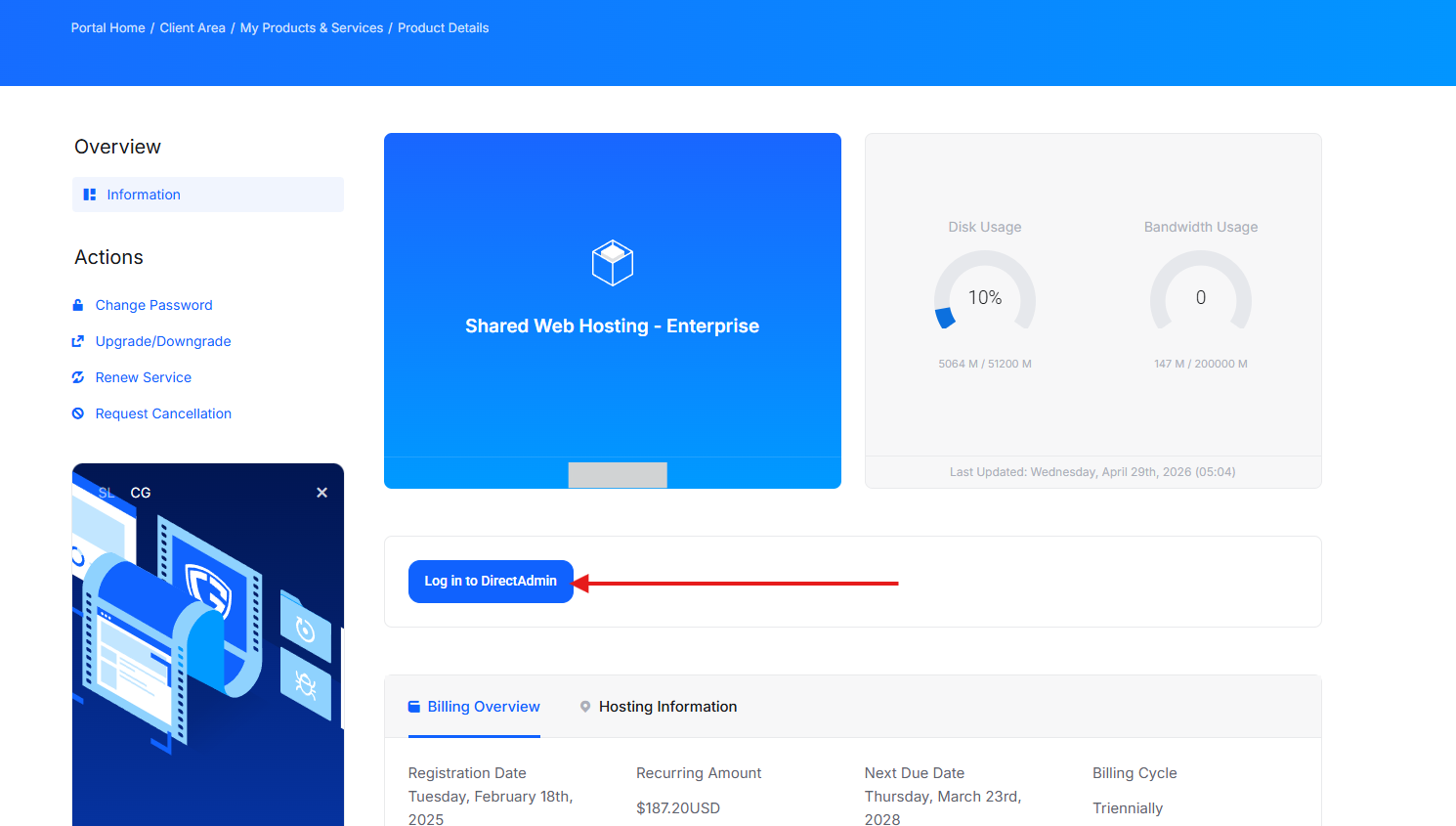
On the product details page, scroll to the service management area.
Click the Log in to DirectAdmin button.
You will be automatically logged in to your DirectAdmin control panel, where you can manage:
• Website files
• Domains and subdomains
• Email accounts
• Databases
• SSL certificates
• Backups and more